
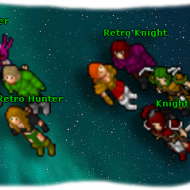
Animated Outfits version 13.20, up to the Rotten Blood mount.
To host them, place them inside your `www` or `htdocs` folder.
For the Animated Outfits:
You need to create a cache; to do this, open the following link in your browser:
This will take you to a page with several links; click on the last one, which ends with "YOUR_PASSWORD".
A new link will open that appears blank. Now, go into the `AnimatedOutfits` folder and open the cache generator. You will find a password on the first line; change it, save the file, copy that password, and paste it at the end of the URL, replacing "YOUR_PASSWORD".
This will generate a cache for the outfits.
Viewing them online and changing the URLs is very easy:
Open your `config.php` file, locate the relevant line, and add your own:
Animated Outfits:
To host them, place them inside your `www` or `htdocs` folder.
For the Animated Outfits:
You need to create a cache; to do this, open the following link in your browser:
This will take you to a page with several links; click on the last one, which ends with "YOUR_PASSWORD".
A new link will open that appears blank. Now, go into the `AnimatedOutfits` folder and open the cache generator. You will find a password on the first line; change it, save the file, copy that password, and paste it at the end of the URL, replacing "YOUR_PASSWORD".
This will generate a cache for the outfits.
Viewing them online and changing the URLs is very easy:
Open your `config.php` file, locate the relevant line, and add your own:
Animated Outfits:
Animated Items:

![[7.72] CipSoft Server Windows Port & Unified Standalone (C++17 / SQLite 3 / Embedded Login Server)](/data/resource_icons/1/1103.jpg?1792077236)